Battlefield 6 classes and signature traits guide: Assault, Recon, Engineer, and Recon
3 min read
Overview
Not sure whether to play Assault, Engineer, Support, or Recon? Learn how classes work in Battlefield 6, including signature traits and weapons, Field Spec, and how open and closed weapons work.
Before you start a match in Battlefield 6, you’ll choose a class to play as.
Assault
Engineer
Support
Recon
Each class has a signature weapon to complement their strengths, unique traits, and a specific role to play in your path to victory.When a signature weapon is equipped, you get bonus perks with that weapon. Signature traits are passive, meaning when you play that class, their signature benefit is always on.For an introduction to each class, check out our video guide.
When you start a new game, you’ll choose the class you want to play as. You can customize your loadout here if you want to make changes to your weapons and gadgets. You can also change your loadout mid-match.If you die in a match, you’ll have time to choose a new class before you come back to the game.Need help finding cosmetics for your loadout? Check out our missing content guide to get help.
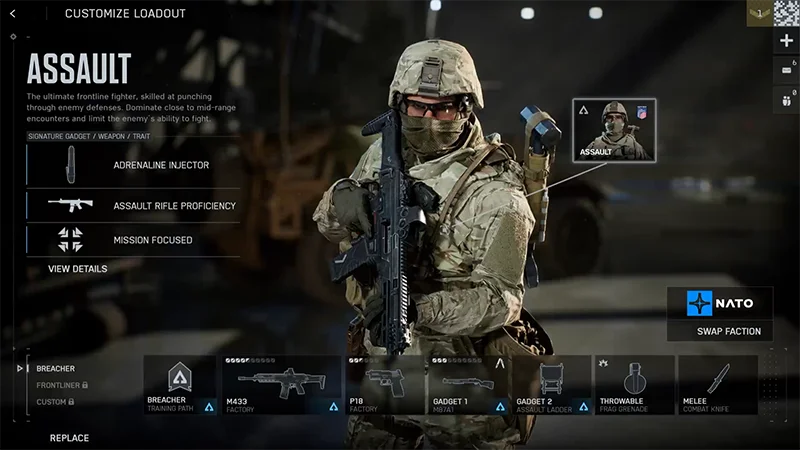
Assault
This guide applies to Battlefield 6. Classes in Battlefield REDSEC might feature different signature weapons, gadgets, and traits.Check out our Battlefield REDSEC guide to learn more.
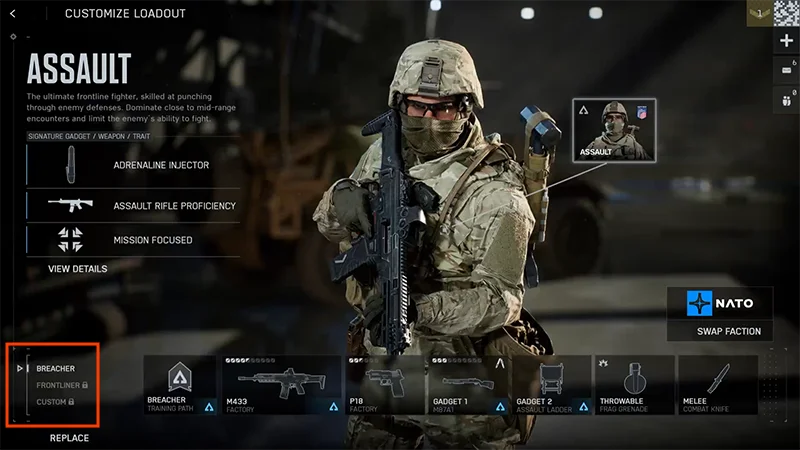
Assault specializes in anti-infantry and offensive warfare. Use Assault to hold back the enemy, lead aggressive pushes, or respond quickly to new hostiles.
Signature gadget: Adrenaline Injector.
Temporarily boosts sprint speed, reduces explosive damage, protects you from debuffs, and helps you hear enemy footsteps.
Signature weapon: Assault Rifle.
Get faster draw and sprint time, plus better sprint recovery.
Signature trait: Mission Focused.
Interacting and capturing objectives are quicker for all nearby squad members.
Adrenaline doesn’t give you any extra health. It’s designed to prepare you for combat, so use it just before you get into your next battle.Learn more about playing Assault.
Engineer
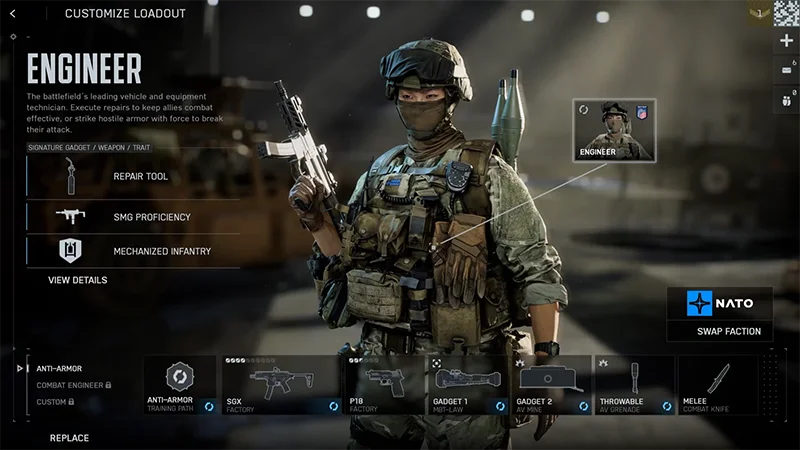
Engineers excel at destroying enemy vehicles and repairing your own. Use them to clear the area of enemy tanks and aircraft.
Signature gadget: Repair Tool.
A blow torch that repairs friendly vehicles and can damage enemy assets.
Engineer is the only class that can repair friendly vehicles.
Signature weapon: Submachine gun.
Get improved hip-fire control.
Signature trait: Mechanized Infantry.
Take less explosive damage when near a friendly vehicle and prevent hostiles from entering the vehicle, as long as all vehicle crew members have exited. Repair vehicle health to keep both effects active.
Use gadgets like mines and rocket launchers to take out enemy tanks and aircraft, and support your squad with tank repairs and resupplies. If you spot an enemy tank, try to target its top—they’re usually weaker there.Learn more about playing Engineer.
Support
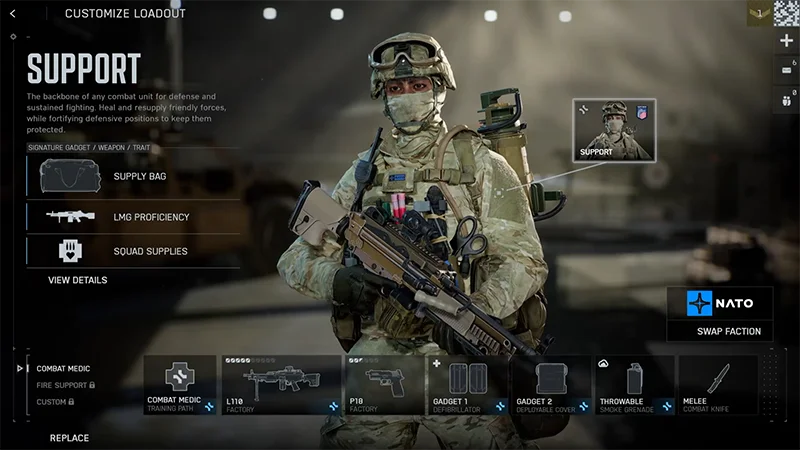
Support provides medical help and supplies to your squad. You’ll find them in the heart of combat, resupplying and protecting your team.
Signature gadget: Supply Bag.
A deployable bag that resupplies nearby infantry with gadgets and weapons and helps players regenerate health more efficiently.
Signature weapon: Light machine gun.
Faster transition to aim-down-sights and no sprint speed penalty.
Signature trait: Field Sustainment.
Distribute health packs to teammates when they directly interact with you.
There are two ways Support can revive players: a standard revive or a revive using the defibrillator gadget. As a Support player, you can revive teammates quicker than others thanks to your signature trait.
If you’re close to danger when you start reviving downed players, you can drag them to a safer place.
Dragging while reviving makes the revive slower.
If you cancel a revive and then come back to it, your revive will keep its progress—you won’t have to completely start again.
Using the defibrillator gadget is a faster way to revive other players. You can use it to quickly revive players, including players who might be getting revived by someone else.
If you fully charge your defibrillator, players will revive with full health. If they’re not fully charged, they’ll still revive a player, but with less health.
One charge can revive multiple players.
Using your defib can help in particularly tight areas like chokepoints. Team up with other players to fast revive players when they’re in a safe spot. A fully charged defib can also make a powerful weapon if an enemy’s close enough for you to use it.
Not all players are revivable. If someone’s taken a fatal headshot, you won’t be able to revive them.
Recon
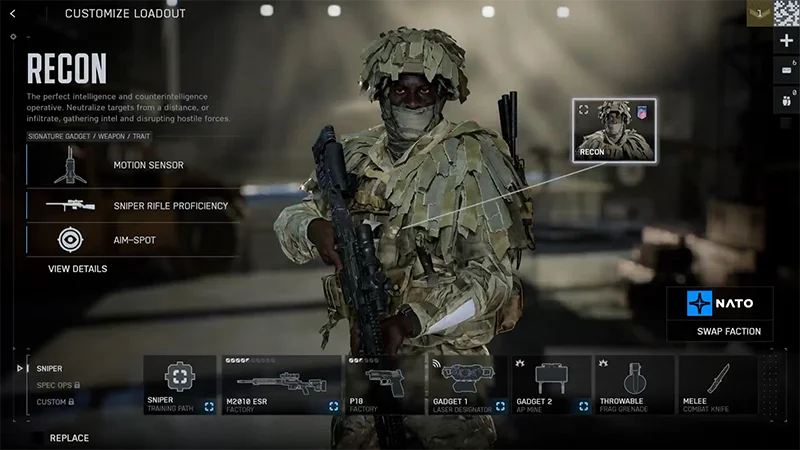
The Recon class focuses on stealth, scouting, and gaining information for your team. They’re built for tactical gameplay and sniping enemies from afar.
Signature gadget: Motion Sensor.
Detect and display the position of nearby enemies, vehicles, and gadgets if they’re on the move.
Signature weapon: Sniper.
Stabilize aim by holding breath and rechamber more quickly between shots.
Signature trait: Auto-spot.
Looking at hostiles while aiming-down-sights marks them as spotted.
To hold your breath while you aim a sniper, hold the left shift key or your controller’s left stick. The corners of your screen will darken and your aim will temporarily be steady.Learn more about playing Recon.
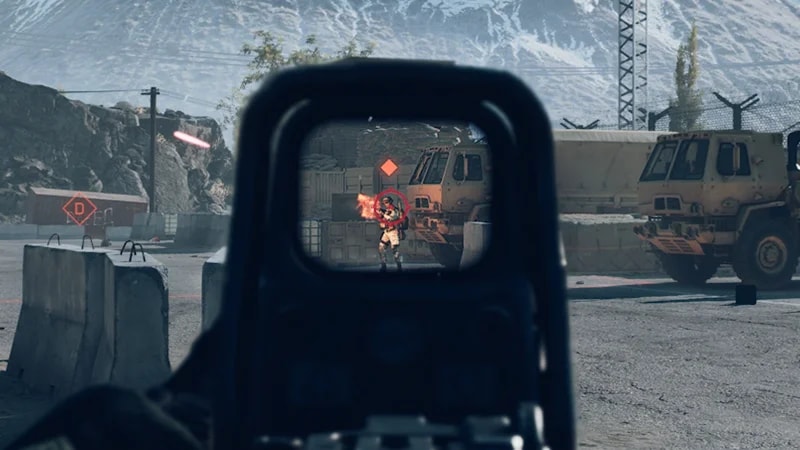
Your signature trait, Auto-Spot, means that if you look at hostiles while aiming-down-sights, they’ll be spotted automatically. When an enemy is spotted, an orange icon appears over their head and their position is revealed to the rest of your team.
What are Field Specs?
As you play your class, you can unlock specializations called Field Specs that give you more perks. You gain these levels through team progression and score XP. Each class has two different Field Specs to choose from which offer distinct perks. To check or change your class Field Specs, go to your class in the Loadouts menu. You can find your selected Field Spec in the bottom-left corner.
Field Spec abilities range from Level 0 to Level 3.
Level 0 is active automatically. Every other Level is earned through gameplay.
You can only use your Level 3 ability once. After you use it, your progress is reset to Level 2 and you can re-earn Level 3.
All progress is reset at the start of each round.
Level 1 and 2 give you passive abilities. When you unlocked Level 3, your HUD (Heads-Up-Display) will show it’s available and how to activate it.Visit ea.com to learn more about Field Specs.
What are closed vs open weapons?
The weapons your class can use depends on if you’re playing with open or closed weapons.
Closed weapons: Your class can only use class-specific weapons (your signature weapon). You can’t use weapons from other classes.
Open weapons: Each class can equip any weapon type. For example, an Engineer could use an assault rifle, or Support could use a sniper.
Most modes use open weapons by default. You can pick the weapon you use in your loadout. Learn more about how to build a loadout in our guide.If you want to play with class-specific weapons, look for game playlists that use closed weapons.
What are shortcut kits?
Shortcut kits are bundles that give you immediate access to base-game weapons, gadgets, and vehicle upgrades. They can help you quickly get started with a new class by unlocking class-specific content.There’s a shortcut kit for each class, plus an ultimate version which gives you the content from all four class-specific kits.
There are no alternative items or refunds for items you’ve already unlocked in a shortcut kit. Make sure to check what comes in a shortcut kit before you get it.
You can use Battlefield Coins in the in-game store to get class-specific kits. The Ultimate shortcut kit is available on your platform’s store. You need to use real world currency to buy it.
No. If you get a shortcut kit, there’ll still be class-specific content you can unlock later.
You can find shortcut kit items in the Loadouts menu.
1
Open the Loadouts menu.
2
Select a class, Appearance, or Vehicles.
Choose a class to find class-specific weapons, training paths, and gadgets.
Choose Appearance to find cosmetics.
Choose Vehicles to find vehicles.
3
You’ll find all unlocked content for that category.
For more help, watch this video on finding and equipping content from the Loadouts menu.
Yes. If you buy a class-specific shortcut kit with Battlefield Coins and then decide to buy the Ultimate kit, you’ll be refunded 1100 Battlefield Coins. You won’t be refunded or get a price reduction for any items included in the Ultimate kit you already own.