Overview
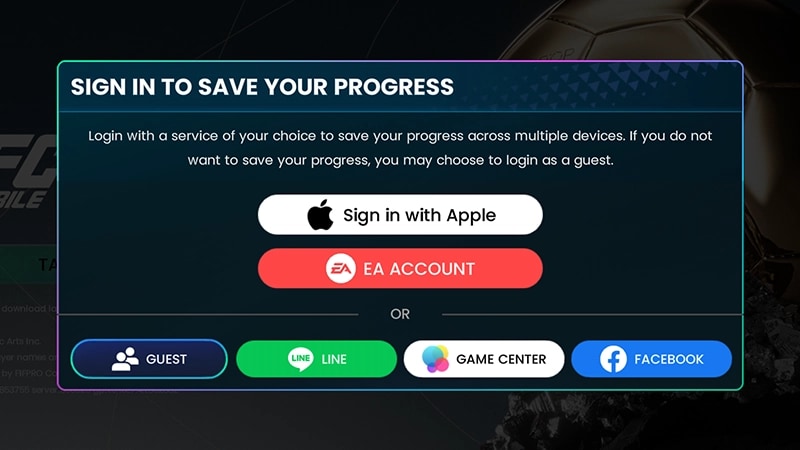
Recover access to your EA SPORTS FC Mobile account by logging back into the account linked to your game, like your EA, Google, Apple, Facebook, or LINE account. If you played with an unlinked Guest account or need more help, select Settings and choose Player Support
How do I log into the account linked to FC Mobile?
If you previously linked FC Mobile to a social account (like Google, Apple, LINE, Facebook, or an EA Account), log back in to FC Mobile with the same account to recover your access.Linking to an EA Account lets you access your progress on both Apple (iOS) and Google (Android) devices. Learn how to link to an EA Account.
If you’re not sure which account you used, check your email inboxes for receipts, confirmation emails, or past EA Account info.
What should I do if I can’t log into my linked account?
If you can’t log in to the Google, Apple, LINE, or Facebook account you linked to FC Mobile, please contact their support team.If you linked an EA Account and can’t log in with that, please get in touch with us.The best way to get help is in-game.If you can't access the game and still need help, learn how to get help and find your in-game ID.
- 1Go to the Settings menu.
- 2Select Player Support.
- 3Follow the prompts to get help, read articles, or submit a support request.
- Your EA Account email or associated platform ID.
- A screenshot of your player ID or in-game name (if you have it).
- Proof of purchase (like a receipt from your app store).
How do I recover access if I didn’t link an account to FC Mobile?
If you didn’t link a social account to FC Mobile (like an EA Account or a Google, Apple, LINE, or Facebook account), you’re playing on a Guest account. Guest accounts can only be saved directly to a phone or tablet and can’t be recovered once they're lost. You may not be able to get your game progress back if you:- Lose access to your device
- Factory reset, switch, or replace your device without having linked FC Mobile
- Delete the FC Mobile app without first linking FC Mobile.