Overview
UFC 6 has a Practice Mode that lets you experiment with different fighters, each with their own Perks. From there, you can play through Chris Carter’s story in The Legacy, recreate UFC fights and moments in Hall of Legends, and recruit and build your fighter roster in The Gym. Use this guide to learn how to get started, pick a control preset, and use perks and Flow State in fights.
How to get started in UFC® 6
UFC 6 gives you a few ways to practice, experiment with fighters, and improve your skills over time. If you’re new to UFC® games, take time to learn the basics before jumping straight into competitive online play.
Practice Mode
Practice Mode gives you space to experiment with different fighters, techniques, and fight situations before heading online. You can find Practice Mode by selecting Learn from the main menu. From there, load into Practice Mode and choose your practice match settings. By adjusting the practise match settings, you can:- adjust AI behavior
- test different fighting styles and strategies
- practice with grappling and striking techniques
- run drills to learn timing, recovery windows, and counters.
- From the Main Menu, go to Learn, then select Training Manual.
- In Practice Mode, open the Pause Screen and select Training Manual.
- In Fight Now against AI or Hall of Legends, open the Pause Screen, select Game Help, then choose Training Manual.
How to choose your first UFC® 6 game mode
UFC 6 offers several modes suited to new players. Each mode introduces different fight mechanics at a manageable pace. To get started, go to the home screen and select your game mode from the main menu.The Legacy

Hall of Legends

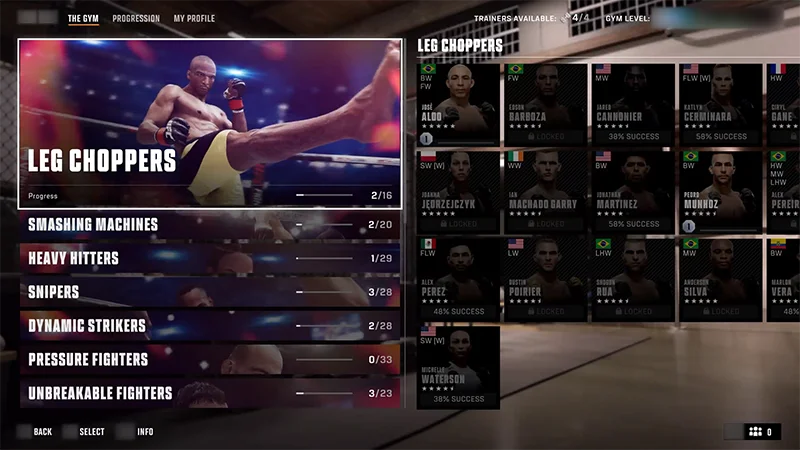
The Gym
How to change the Control Assist presets
The Control Assist preset options let you choose the control style that feels most comfortable to you and matches how you want to play.- Streamlined enables assisted striking, grappling, defense, and combos.
- Default balances accessibility and manual controls.
- Authentic removes most assists for a more manual experience.
- Custom lets you adjust settings to suit your playstyle.
- 1Open Settings.
- 2Go to the Gameplay tab.
- 3Scroll to Control Assist, then select Control Preset.
- 4Choose your preferred preset option.

If you’re a beginner, try the Streamlined preset. It’ll help you ease into fights so you can spend more time focusing on timing, spacing, and reactions before moving on to more advanced controls.
What are Perks and Flow State?
Each fighter in UFC 6 has unique Perks and a Flow State that reward different approaches to fights.- Perks are bonuses tied to certain techniques, strengths, and fighting styles.
- Each fighter has unique Perks that complement their approach inside the cage, whether they rely on pressure, clean combinations, movement, grappling, or counter striking.
- Using techniques that match your fighter’s strengths can help you get more value from their Perks during fights.
- Flow State rewards fighters for using skills, combinations, and techniques that match their unique fighting style. Landing clean combos, defensive reads, counters, and grappling moves can help build toward Flow State, giving your fighter boosts that can help swing the fight in your favor.
You can view your fighter's Perks, Flow Boost actions, and Flow State effects from Fighter Select before a match, or by opening the Pause Menu and selecting PERKS during a fight.