Overview
Archetypes let you customize how your player performs in EA SPORTS FC™ 27. Choose an Archetype, earn Archetype XP (AXP) to progress it, and customize its Attributes to suit how you want to play. All Archetypes are available from the start, and you can freely adjust your Attribute points as you experiment with different builds.
What are Archetypes?
Archetypes let you create different player builds with their own Attribute specializations and playstyles.You can switch between Archetypes and develop different builds depending on the position, role, or style of football you want to play.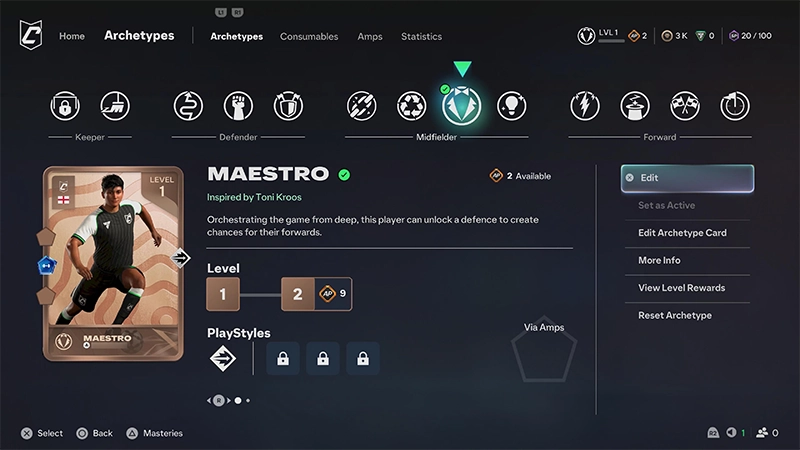
How to progress an Archetype
Earn Archetype XP (AXP) to progress your Archetypes.You can earn AXP by playing games and completing Objectives in The Grounds. Some rewards and consumables can also give you AXP or increase how much you earn.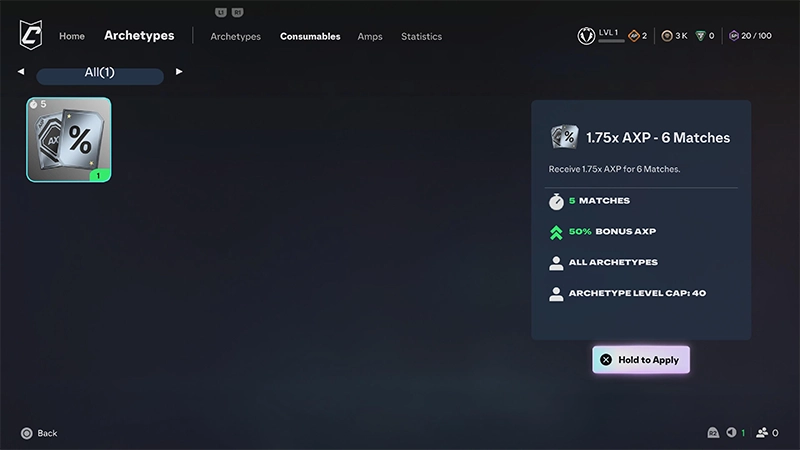
How to change your Archetype Attributes
You can upgrade your Archetype's Attributes and change how you've assigned your Attribute points.Unlike a full reset, you can reduce individual Attributes incrementally. This lets you move points out of Attributes you no longer want without resetting your entire build.Changing your Attribute allocation doesn’t require a reset item, so you can experiment with different builds.Yes. You can adjust your Attribute allocation whenever you want.You don't need a paid reset item or Grounds Coins. Lower the Attributes you want to change, then use those points to adjust your build.This means you can make small changes rather than starting your build again from zero.
Can you change your Archetype before a match?
Yes. You can edit your Archetype from the lobby before a match.League Matches
You need to be on the bench before you can edit your Archetype. If you’ve already selected a position on the pitch, return to the bench first.- 1Go to the Player Management tab.
- 2Select Archetypes.
- 3Make your changes.
- 4Return to the lobby when you’re finished.
Rush and Drop-In
- 1Go to the Archetypes tab.
- 2Select Archetypes.
- 3Make your changes.
- 4Return to the lobby when you’re finished.
How do Instant AXP consumables work?
Instant AXP consumables give AXP directly to your active Archetype.You can use an Instant AXP consumable on any Archetype. The AXP is applied to whichever Archetype you have active when you use it.Check the consumable’s information before using it to see how much AXP it gives and whether it has any level requirementsLevel Limited Consumables
Instant AXP consumables have their own Archetype Level Cap.You can use one when your Archetype is below the consumable's level limit. This limit doesn't replace the overall level cap for your Archetype.Check the Archetype Level Cap shown on the consumable before using or purchasing it.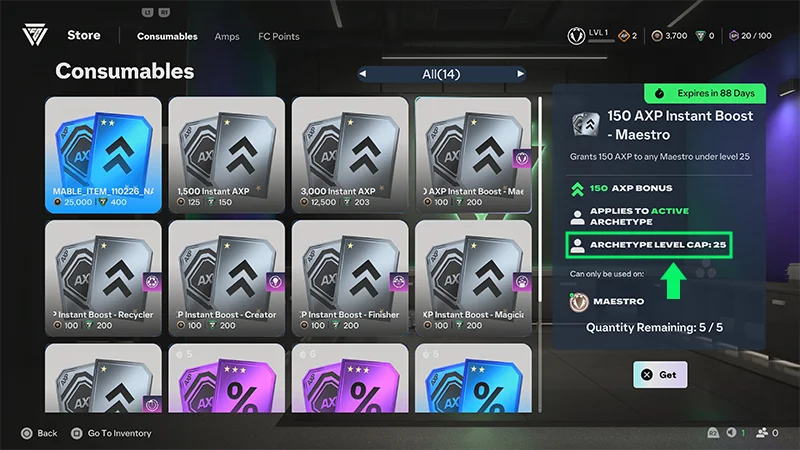
How do Amps affect your Archetype?
Accelerated Match Performance items (Amps) can temporarily boost your active Archetype for a limited number of matches.Some Amps also have Archetype Affinity, which gives an additional bonus when they're equipped to a matching Archetype.Learn more about Amps in our article.How to earn Archetype rewards
Playing and completing Objectives in The Grounds can give you rewards that help with Archetype progression.These can include:- Archetype XP
- Grounds Coins
- Amps
- other rewards.
How do Mentors help me progress?
Mentors guide you through different experiences in The Grounds and give you Objectives and rewards that can help with your Archetype progression.You’ll meet Mentors including Kylian Mbappé, Chloe Kelly, Paulo Dybala, and Alex Hunter. Each Mentor focuses on different ways to play, like Kickabouts, Street Football, and Club play.Complete their Objectives to earn rewards and keep progressing your Archetypes.FAQ
Yes. All Archetypes are available from the start, so you can experiment with different Archetypes without unlocking them individually.
No. Changing your individual Attributes and resetting your build doesn’t cost anything.
Play games and complete Objectives in The Grounds to earn Archetype XP.Consumables and other rewards can also help with Archetype progression.
Yes. You can adjust your Archetype and equipped items from supported lobbies without returning to the main menu.
The Archetype Level Cap tells you the Archetype level requirement for using that consumable.It doesn't replace the overall level cap for your Archetype.