Overview
Use cross-play in NHL® 27 to play with friends on supported platforms. Follow the steps to turn cross-play on or off, add friends, and check which online modes support cross-play.
What is cross-play?
Cross-play lets you compete with friends and other players across different platforms in specific online multiplayer modes.For example, if you’re playing on a PlayStation®5, turning on cross-play lets you compete with friends playing on XBOX Series X|S.How do I turn on cross-play in NHL®?
Cross-play should be turned on by default when you launch your game for the first time.If you play on XBOX, your cross-play settings might also be determined by your platform settings. Learn more about cross-play on XBOX.
Yes, you can check or change your cross-play settings using these steps:
- 1Open the World of Chel Hub and go to Settings.
- 2Select Cross-play.
- 3Select Enable cross-play to turn on cross-play.
- You can turn cross-play off by selecting Disable cross-play.
Keeping cross-play turned on can help reduce matchmaking wait times and make it easier to find opponents to face on the ice.
How do I play NHL® with friends on other platforms?
You can use EA Connect to add and play with friends on other supported platforms.- From the main menu, open the EA Connect menu.
- Search for your friend using their EA ID, XBOX Live gamertag, or PlayStation® Online ID (PSN ID).
- Select Add friend. When they accept your friend request, you can play with them in any NHL mode that supports cross-play.
Cross-play FAQ
Yes, NHL 27 supports cross-play. You can play across PlayStation®5 and XBOX Series X|S in World of Chel online modes, private matches in Hockey Ultimate Team (HUT), and Connected Franchise mode.
Cross-play is available in:
- online World of Chel modes
- private matches in Hockey Ultimate Team (HUT)
There are a few reasons you might not see or be able to invite your friend. Try these steps to fix it.
| Column 1 | Column 2 | ||
|---|---|---|---|
| Check | What to do | ||
| EA Connect | Confirm you've added each other through EA Connect. | ||
| Friend request | Make sure your friend has accepted your friend request. | ||
| Cross-play | Double-check you both have cross-play turned on. | ||
| Game version | Make sure you and your friend have installed the latest game version. | ||
| Privacy settings | Check console privacy and parental control settings, and make sure you’re discoverable to other players. | ||
| Blocked players | Check if you’ve blocked or muted each other in EA Connect. | ||
| Platform support | Confirm both platforms support cross-play for that mode. |
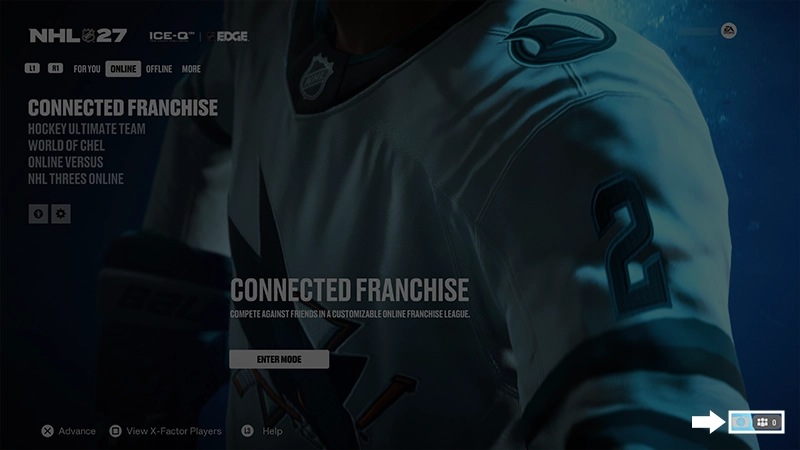
Yes, you can play across platforms in Connected Franchise mode on PlayStation®5 and XBOX Series X|S.
- 1Open the Connected Franchise Hub and go to Settings.
- 2Select Cross-play.
- 3Select Enable cross-play to turn on cross-play.
If you’re having trouble with cross-play or matchmaking, try these troubleshooting steps.If matchmaking still doesn't work, see our connection troubleshooting guide.
- Restart NHL®.
- Make sure both players have cross-play turned on.
- Install the latest game update.
- Check the EA server status.
- If servers are down, you might have to wait until they’re fixed.
- Try matchmaking again.