Overview
To play Connected Franchise mode, you need to create or join a League with at least one other team. Find out how to set up Connected Franchise matches and learn about League commissioners and managers.
What’s Connected Franchise mode?
Connected Franchise mode lets you play head-to-head against friends in a League. To get started, you need to create or join a league.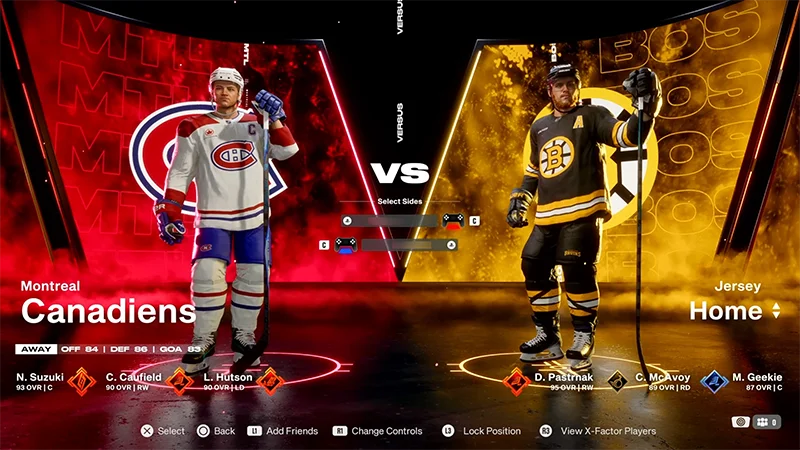
How do I get started in Connected Franchise mode?
- 1Open the main menu and choose For You.
- 2Select Connected Franchise.
- 3Select an option.
- Current Leagues, to view Leagues you created or joined.
- Create New League, to create your own League
- Find League, to join an existing League
- Pending Invites, to check if you have any invitations to join a league.
To play Connected Franchise, you'll need to be part of a League. You can join one as a Manager or create one as a Commissioner.
What are Commissioners and Managers?
If you create a League, you’ll become its Commissioner. You’ll manage the League rules, settle disputes, make announcements, and manage who’s in the League. Learn how to manage a Connected Franchise League as Commissioner. If you join a League, you’ll be a Manager, meaning you manage one team. Learn how to join and manage your team as a Connected Franchise Manager.How do I play Connected Franchise mode?
When a Commissioner has finished setting up the League and adding players, the Play tab will become available. As a Manager of a team, you can’t switch to another team yourself, but your Commissioner can swap you between teams. Although you can’t personally change teams in a League, you can leave the League at any time.The Play tab shows your League’s teams and how many games they have left to play against one another.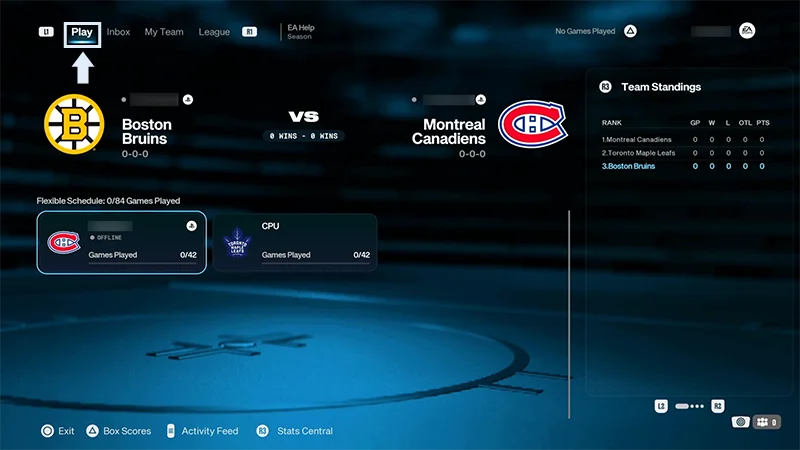
Connected Franchise lets you trade with other players in your League. Learn how to propose and accept trades in our guide.
If another team is online and still has games left, you can invite them to a match. In your first match, the home team will be assigned randomly. Afterwards, it’ll alternate.
- 1Go to the Play tab.
- 2Select the team you want to play against.
- This automatically sends an invite to that player.
- 3Select Play Game.
- When your opponent accepts the invite, they’ll join the game setup screen.
- 4When both teams are ready, the game starts.
- You can change your jerseys, playbooks, and user settings from the game setup screen.
How many people can play Connected Franchise?
You can add up to 32 teams to a League. To start a League, you need at least two teams.When you start a Connected Franchise match, you can have up to 12 people playing. Each team can have six active players. Players you add to your game session can’t be other League members. The players you add won’t have access to the League unless they join afterwards as a different team.To add players:
- 1Choose Add Friends from the match setup screen.
- 2Choose Invite Friends or Add Controllers if you’re playing in the same place.
- 3If you Invite Friends, choose the friends you want to add from the list.