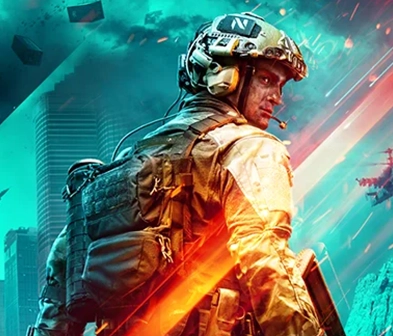
ทหารในชุดแห่งอนาคตถือปืนไรเฟิลโดยมีเอฟเฟกต์แสงสีน้ำเงินและสีแดงเน้นที่เกราะและหมวกของเขา
battlefield-2042-product-logo

ชุมชน Battlefield 2042

รับความช่วยเหลือจากชุมชน Battlefield 2042 ค้นหาคำแนะนำเกี่ยวกับการเล่นเกม และเพิ่มเลเวลด้วยการตอบคำถามผู้เล่น

Sher303Seasoned Newcomer2 months ago
BF2042 PC - EA Javelin AntiCheat Error 94
I really would like to play the **bleep** game but I keep getting this error. I have tried all the things recommended in the EA Anticheat article, reset my PC, etc. Still getting the error, attempted to create a brand new user and run from that user as well, still crashing. Now I'm cleaning out registry keys and leftover files using Revo to see if that fixes anything. Please fix this EA. CM edit: edited title for clarity.
56
4
FedrickPartypieRising Novice2 months ago
Battlefield 2042 crashes to reboot – caused by eaanticheat.sys (Bugcheck 0xF7)
Hello EA Support,I’m experiencing consistent system crashes when playing Battlefield 2042. About 1–2 minutes after spawning into a match, the PC freezes and then reboots/BSODs.Steps I’ve tried:Verified integrity of game files (Steam)Updated and rolled back AMD Radeon driversRepaired/reinstalled EA AntiCheatRan Windows System File Check and Memory DiagnosticRead minidumps in WinDbgCrash dump analysis (WinDbg):BUGCHECK_CODE: f7 (DRIVER_OVERRAN_STACK_BUFFER)PROCESS_NAME: BF2042.exeIMAGE_NAME: eaanticheat.sysSYMBOL_NAME: eaanticheat+3221233FAILURE_BUCKET_ID: 0xF7_MISSING_GSFRAME_eaanticheat!unknown_functionThis points to eaanticheat.sys as the module overrunning the stack buffer.System:CPU: Intel i7-13700KFGPU: AMD Radeon RX 7900 XTXRAM: 32gb ddr5 corsairOS: Windows 11Could you confirm if there are known issues with EA AntiCheat on this hardware/driver combo and advise next steps? I can provide the .dmp file if needed.Thank you.
12
4
Eooos2 months ago
EAAntiCheat is broken, making the game crash and the computer blue screen.
For several months now, whenever I manage to get BF2042 working, it's always through shaky workarounds and manipulating critical settings.Since purchasing the game, I have been experiencing a major stability issue caused by the wreck that is EAAntiCheat. Systematic crashes within the first two minutes of launching the game without any error reports, or blue screens ‘IRQL_NOT_LESS_OR_EQUAL’ pointing to eaanticheat.sys.I had the same problem with BF1, and last May, I managed to get BF2042 working again after several days of troubleshooting with the help of GPT. Adjusting PCores, updating the BIOS, downgrading graphics drivers, downclocking my components... I can't even remember which combination solved my problem.Last night, my game crashed, displaying an error message (for once) indicating that I needed to update my graphics drivers. So I innocently updated my drivers, and since then, I've been getting blue screens again with ‘IRQL_NOT_LESS_OR_EQUAL’ pointing to eaanticheat.sys at launch. After reactivating memory integrity (which I had to disable for the previous fix), I find myself back in the same situation I was in before last May: crashes without error messages within two minutes of playing.I'm really fed up. I've spent so much time since the release of their anti-cheat system troubleshooting, testing and performing risky manipulations that EA should pay me to do their job. It's truly scandalous for a company with so much money to offer such a pitiful experience, even more when mistreating its studios.If you have any solutions to offer, I'm all ears. I'm out of ideas. As things stand, there's no way I'm buying BF6, a new game ruined by this miserable anti-cheat system.My last hope lies with the gaming community, which has to suffer the consequences of this kind of production logic. Thank you for your time !
3
1
ยังมีปัญหาอยู่หรือไม่?
ติดต่อทีมสนับสนุนลูกค้าของเราเพื่อรับความช่วยเหลือเพิ่มเติม